
Samsung Galaxy Tab S8 Ultra review
A good deal? | 1 month of use
Almost a month ago Samsung gave me the chance to test their newest tablet, the Galaxy Tab S8 Ultra. At Galaxy Unpacked 2022 February earlier this year, Samsung introduced not only the newest Galaxy S22 flagships but also — after a year and a half — the Galaxy Tab S8 series. Three models saw the light of day this year: the Galaxy Tab S8, Galaxy Tab S8+ and Galaxy Tab S8 Ultra. The “Ultra” name has now arrived in the tablet market too.
Samsung shook up the tablet market this year by introducing the Galaxy Tab S8 Ultra, at 14.6 inches the largest device in the Galaxy Tab S series. It isn’t the largest tablet Samsung has ever made, mind you — back in 2015 the Koreans introduced the 18.4-inch Galaxy View, or more precisely a multimedia device.
I think many will have heard that the Apple iPad Pro (2021) is currently the best tablet on the market. Android devices still lack good optimisation and support for the good creative apps available in Apple’s App Store. This year, though, Galaxy Tab S8 devices should receive the Lumafusion video editing app.
The main competitor, the iPad Pro, is 12.9 inches, so this year Samsung set out to beat it at least on size. The Galaxy Tab S8 Ultra also has a high-quality AMOLED display, and an S Pen is included in the box.
Last summer I reviewed the Galaxy Tab S7+, which left a very strong impression. So it will be interesting to compare these models, see what Samsung has achieved in tablets over eighteen months, and decide whether this year’s Galaxy Tab S8 Ultra is a good deal.
What’s in the box
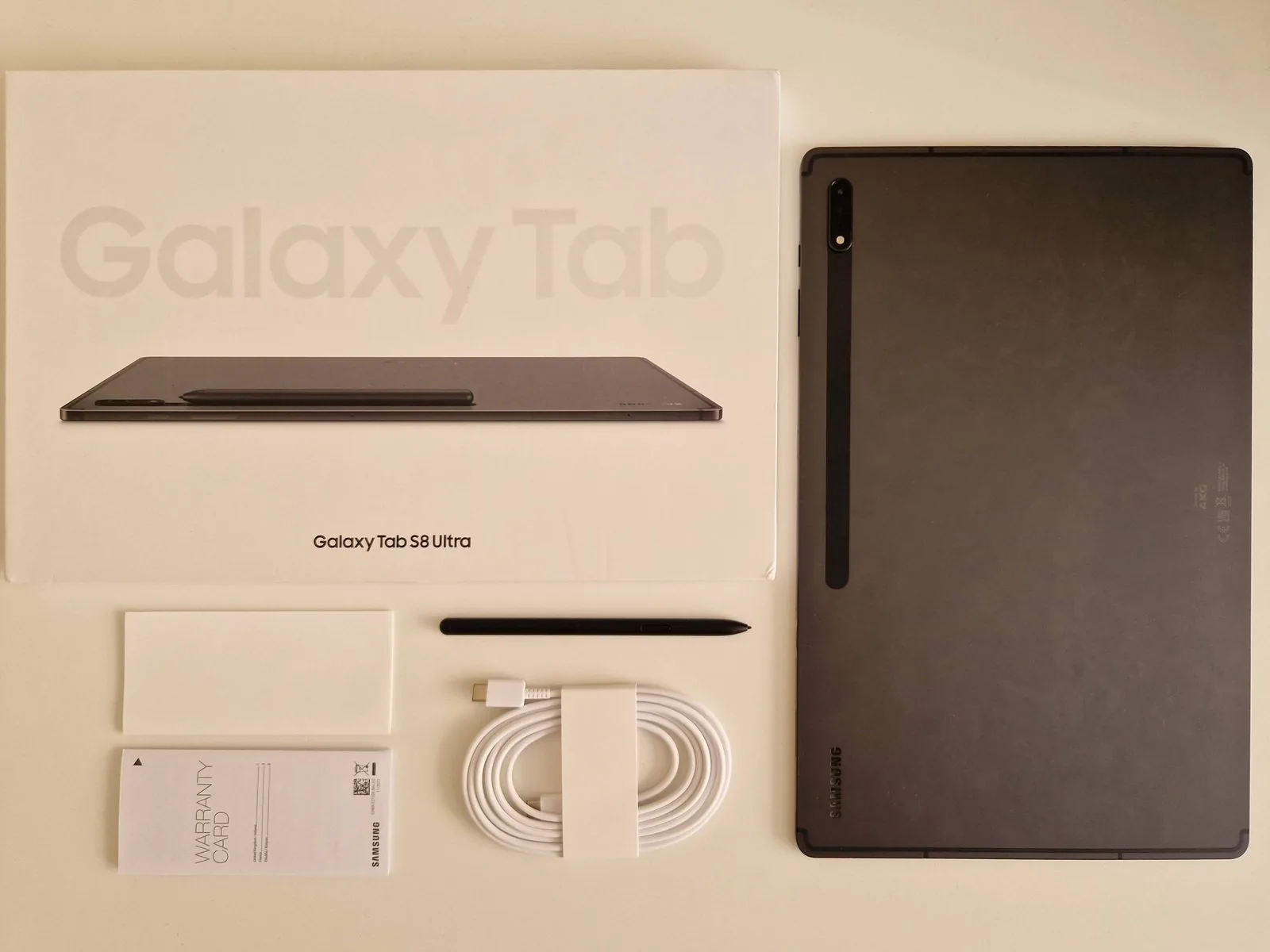
Let’s start with the box. This year it’s half as thin and, oddly enough, contains no charging adapter. Samsung skimped on those for all its devices this year — the funniest part being that even Apple, who started this “sustainable” fashion, sells every iPad with a charging adapter. The box also contains the Galaxy Tab S8 Ultra itself, an S Pen, a USB-C charging cable, a user guide and an SD card ejector pin. It’s strange that all this year’s Galaxy Tab S8 devices arrive with a white charging cable while Galaxy S22 phones get a black one. It rather looks as though Samsung wants you to buy an additional white adapter — because how would a black adapter and a white cable look together?
Design
This year’s Galaxy Tab S8 Ultra comes in a single Graphite colour. Its smaller siblings additionally offer Silver and Pink Gold. Whichever colour you choose, they all come with a black S Pen. Graphite differs only slightly from the Mystic Black of previous models. The tablet remains a fingerprint magnet, and I really wouldn’t suggest using it as a murder weapon, because wiping the prints off completely is nearly impossible.
The Galaxy Tab S8 Ultra has an extremely slim design, with a body just 5.5 mm thick. Compared with the Galaxy Tab S7+, Samsung dropped the brushed edges this year in favour of soft, smooth ones. The device is also relatively light at 728 grams. It feels solid and pleasant in the hands, and the Armor Aluminum body provides exceptional protection — as we saw in the JerryRigEverything durability test.
On the back you’ll find a black glass strip where the S Pen attaches magnetically and charges. Around the sides sit four AKG stereo speakers, the magnetic keyboard connector, the USB-C port and the volume and power buttons.
The Galaxy Tab S8 Ultra has plenty of Samsung-made cases, and the Book Cover Keyboard stands out among them — its price jumped to €350 this year, matching the Apple Magic Keyboard, though most reviewers were disappointed by its quality.
Display
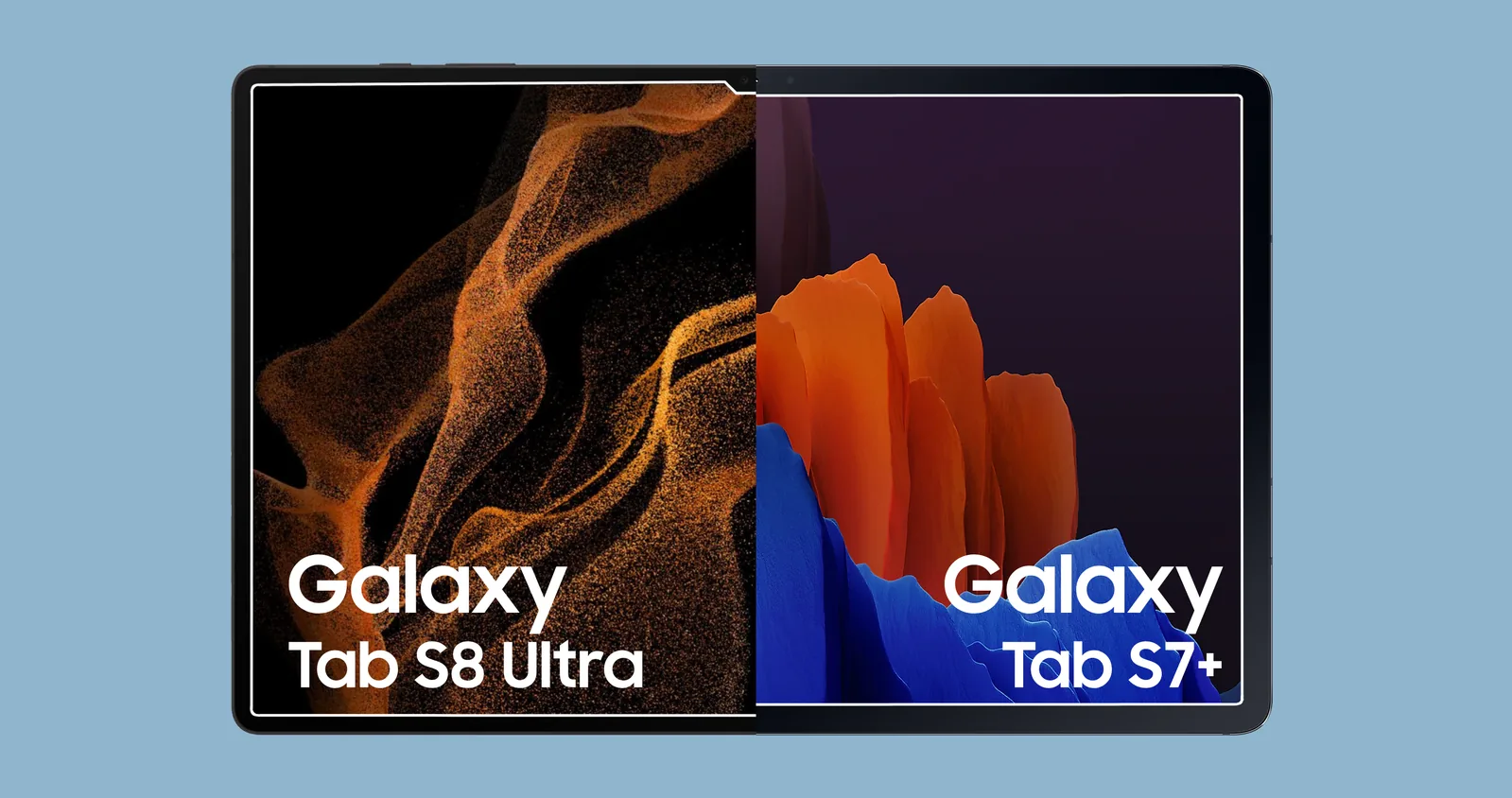
The Galaxy Tab S8 Ultra’s obvious advantage over most tablets is its display. This 14.6-inch Super AMOLED panel offers bright, contrasty colours, HDR10+, a smooth 120 Hz refresh rate, thin bezels, a 16:10 aspect ratio, a fingerprint reader and S Pen support. The bezels are half as thick as the Galaxy Tab S7+’s.
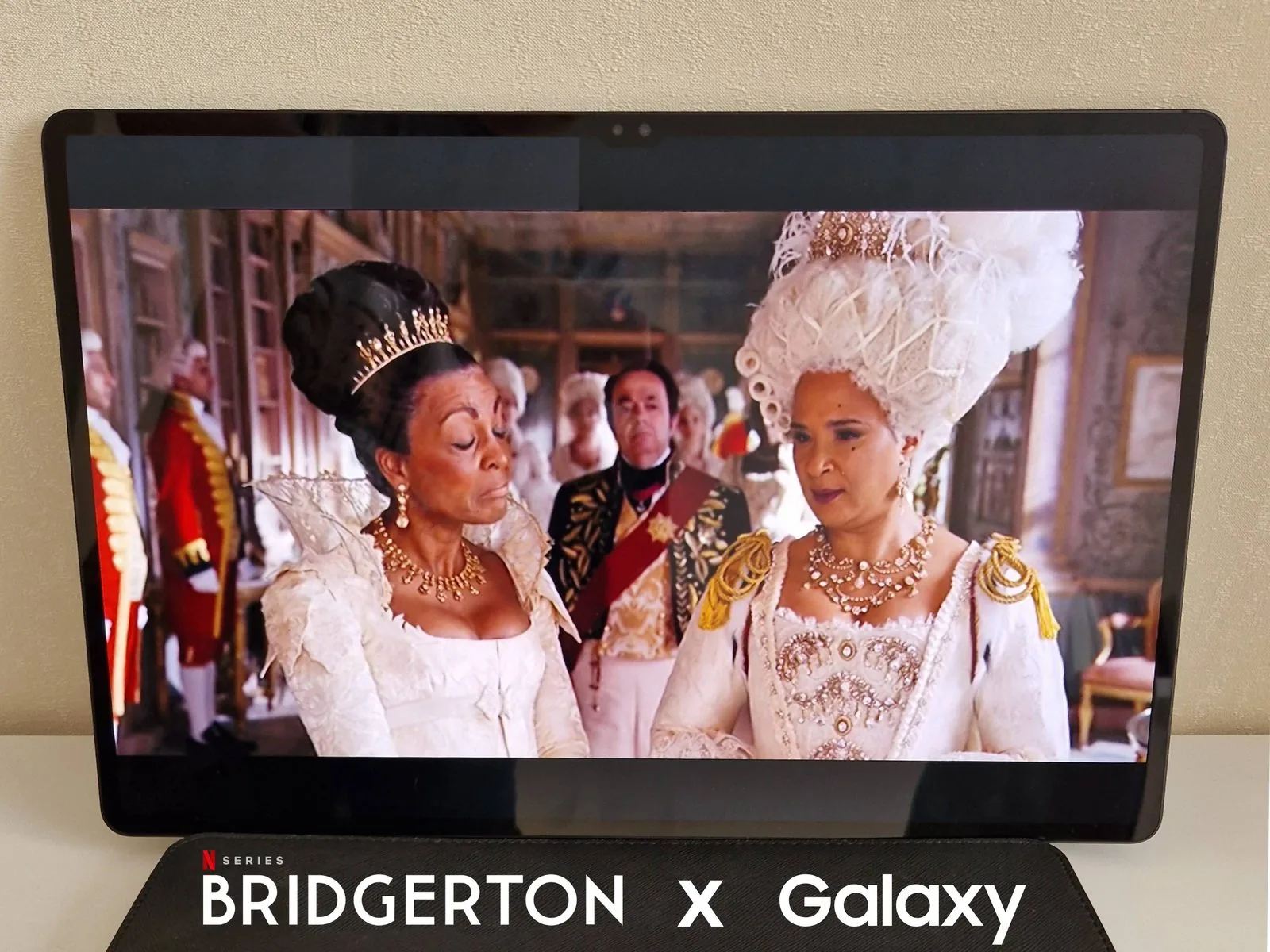
High-quality 4K footage looks so natural that you feel you could reach out and touch what’s on screen. The Galaxy Tab S8 Ultra also has powerful AKG speakers that sound insanely loud — you won’t need extra equipment at a party.
Screen brightness disappointed me somewhat. In daylight against the sun, the display is hard to make out.
While testing the device I started watching Netflix’s Bridgerton. The Galaxy Tab S8 Ultra is an irreplaceable device for watching films.
S Pen
The S Pen really is an indispensable Galaxy Tab S8 Ultra tool. This year the S Pen has extremely low 2.8 ms latency, which makes drawing and writing in Samsung Notes feel very natural. The stylus itself is unchanged, identical to the Galaxy Tab S7 series. With S Pen gestures you can control the tablet — especially handy for taking a photo, adjusting the music volume, or skipping and replaying a track in Spotify.
The S Pen works superbly in Samsung Notes and Clip Studio Paint. Some apps don’t yet support the new latency and palm rejection.
The one drawback that bothered me is the S Pen’s button. For some reason I press it accidentally while writing and delete part of my notes. I think the button could sit a little higher — in my case, at least.
Advertisement
Camera
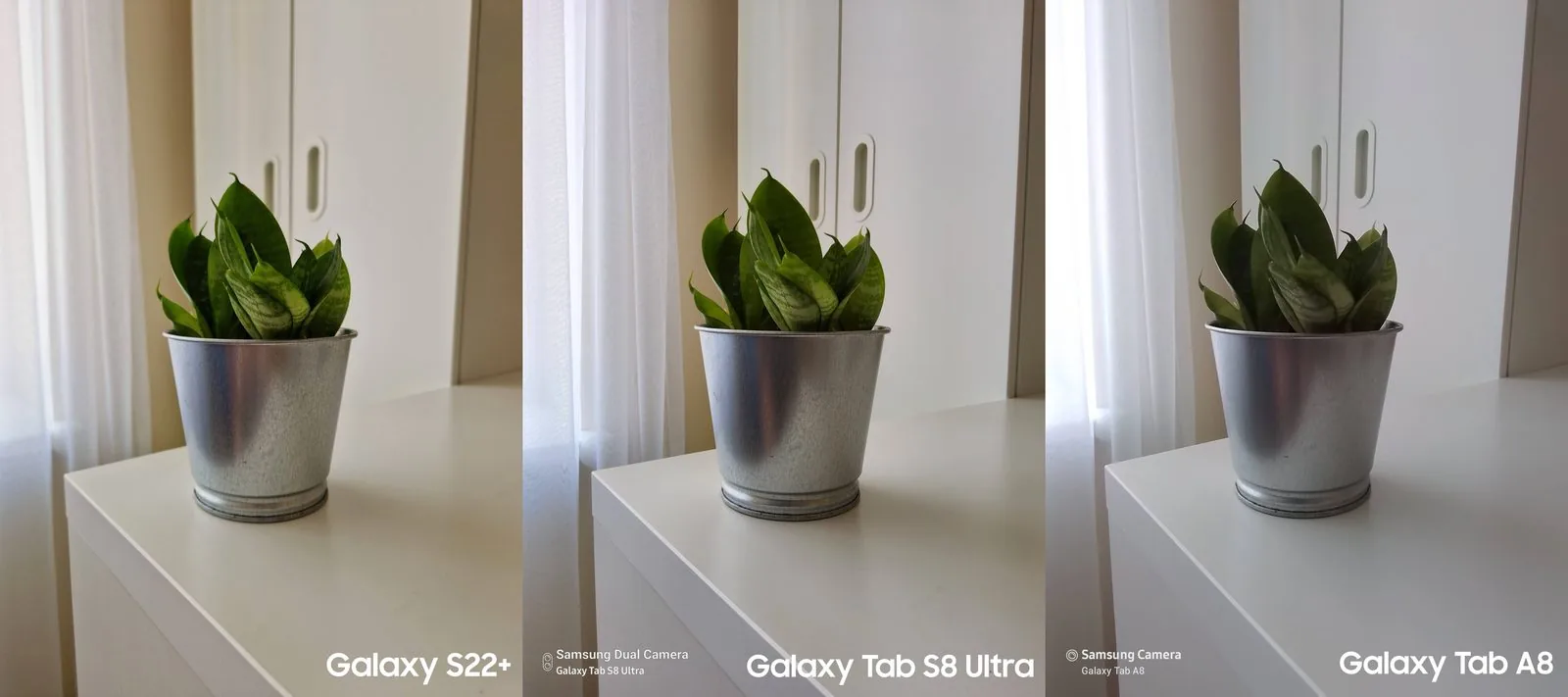
The Galaxy Tab S8 Ultra’s camera capabilities beat most tablets and mid-range phones. On the back are two cameras: a 13 MP wide and a 6 MP ultra-wide. To find out whether people can tell photos taken with a tablet apart, I ran a poll on my Instagram account. A majority (53%) chose the photo taken with the Galaxy Tab S8 Ultra, and the rest (47%) the one taken with a Galaxy S22+. This experiment shows a tablet photo is almost the equal of a phone’s. Below you can also see a photo taken with the Galaxy Tab A8’s 8 MP lens.
But the device’s biggest advantage is the two front cameras: a 12 MP wide and a 12 MP ultra-wide. To fit the sensors in, Samsung even created a small notch in the display. Plenty of people on tech Twitter laughed at this decision, since the Koreans constantly mock the notch found on Apple’s iPhone and MacBook. The Galaxy Tab S8 Ultra’s front camera quality is simply fantastic compared with laptop cameras. This year Samsung also introduced auto-framing, similar to Apple’s Centre Stage, which uses the ultra-wide lens to follow the speaker. All the device’s cameras support video recording up to 4K at 30 fps.
The Galaxy Tab S8 Ultra has not only impressive cameras but good microphones. There are three of them, which certainly ensures everything you say will be heard during calls. There’s also an option to have the tablet suppress background noise.
With impressive front cameras, microphones and stereo speakers, you’ll shine in remote meetings.
Performance
The Galaxy Tab S8 Ultra is equipped with the newest Snapdragon 8 Gen 1. Below you can see the GeekBench results. The Galaxy Tab S7+ runs a Snapdragon 865+.
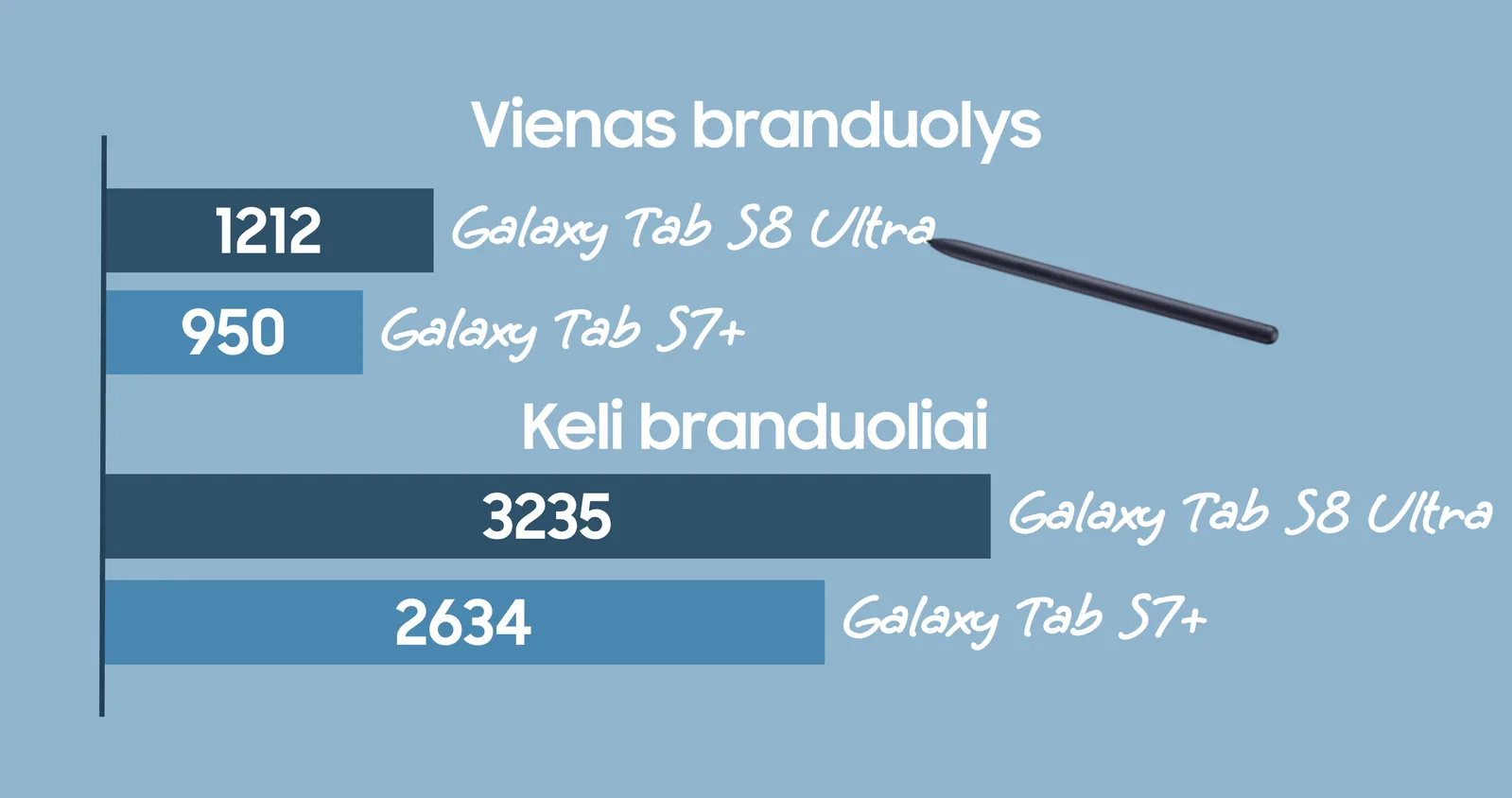
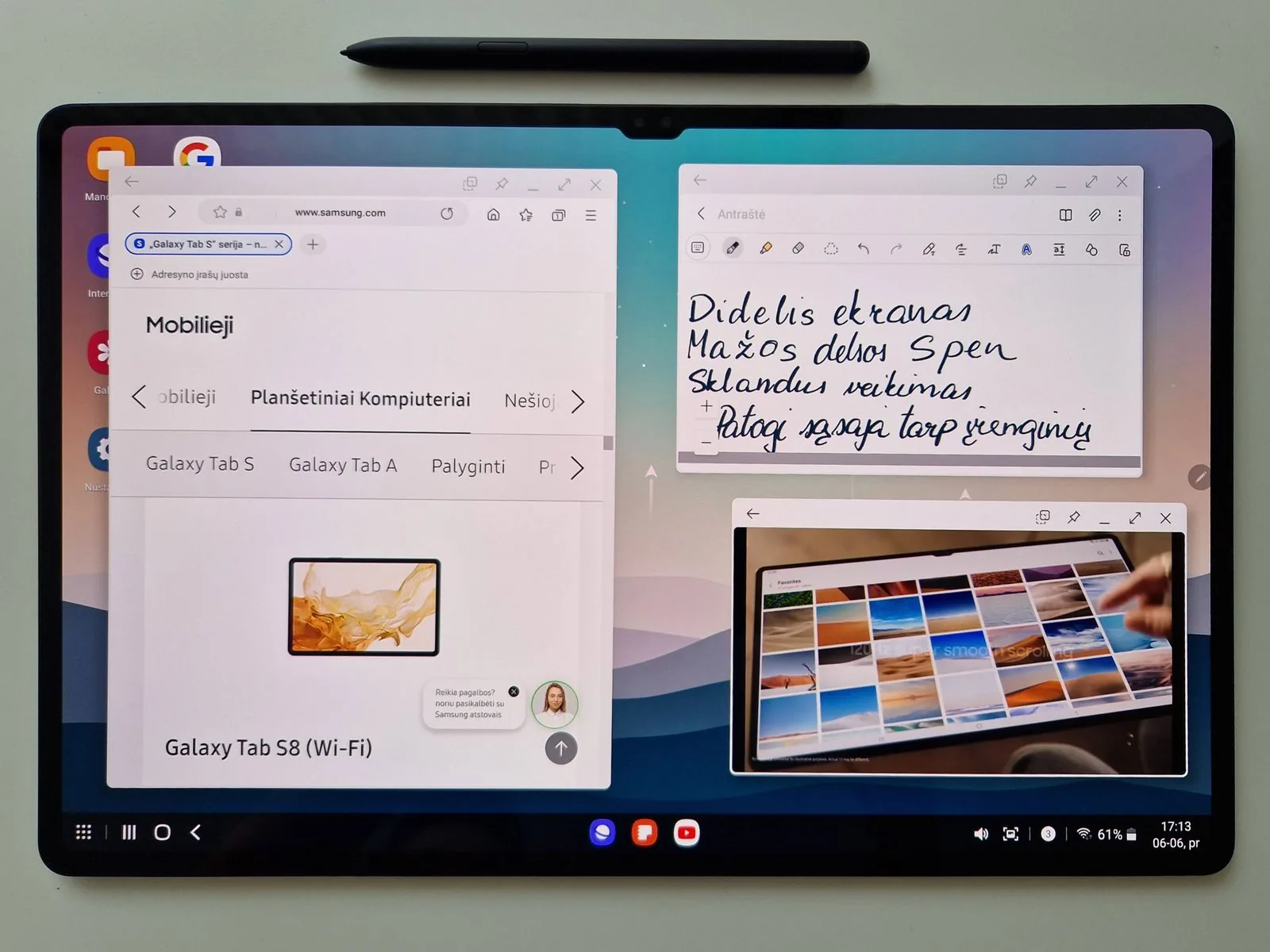
I noticed the Galaxy Tab S8 Ultra runs more smoothly than the previous model. DeX alone launches faster and runs more smoothly. The tablet performs well even with several apps open at once. Samsung DeX gives the user a Windows-like experience. The Galaxy Tab S8 Ultra is an excellent device for anyone who loves multitasking.
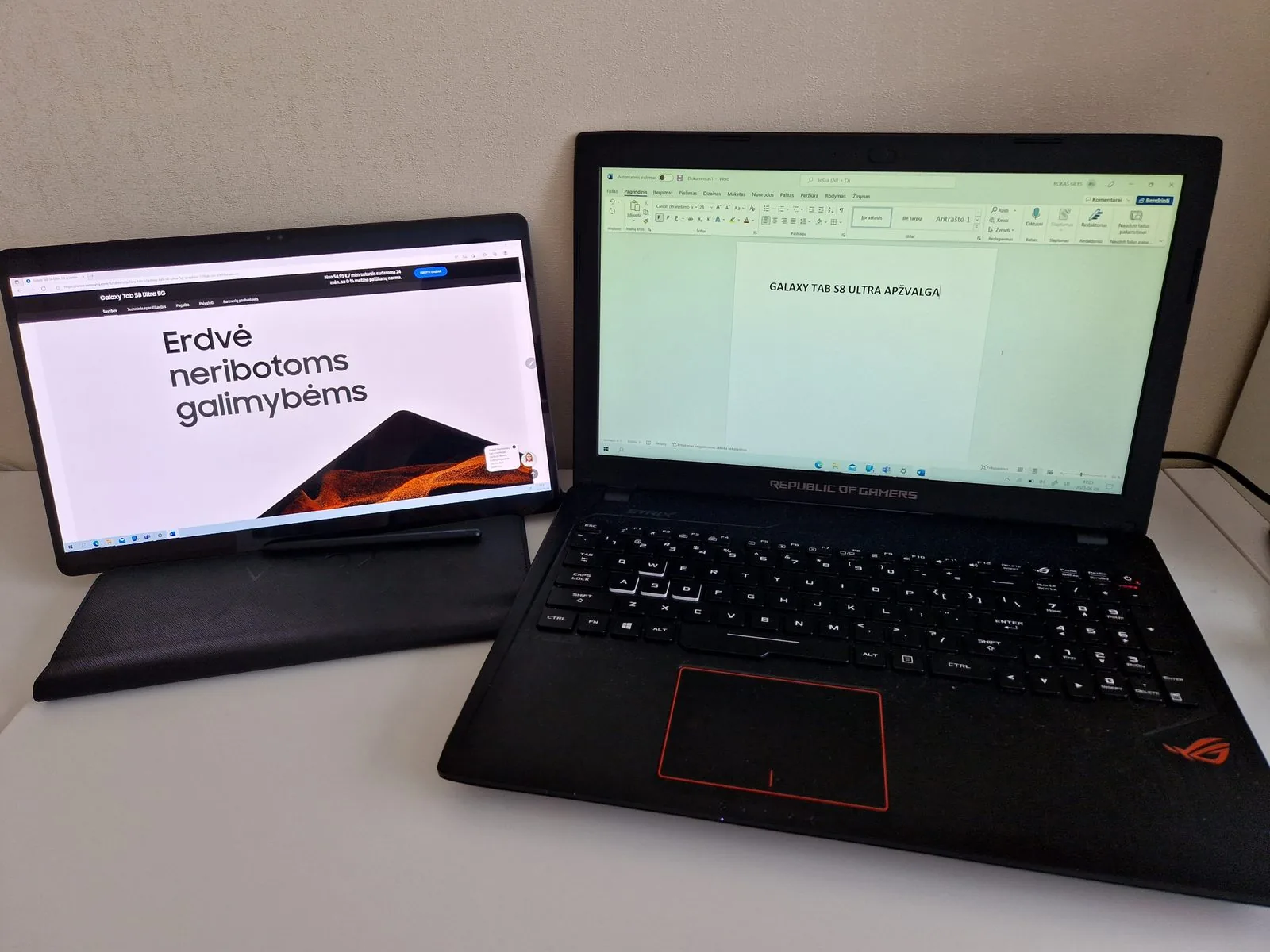
Another interesting thing is second screen mode. You can connect your Windows computer to the Galaxy Tab S8 Ultra and use the tablet as a second display. You do need a good internet connection, otherwise it’s unstable. I think this mode is especially useful when working in Photoshop, since the S Pen makes it easy to draw within Windows. Generally I’d suggest looking for other apps that connect the devices over a USB cable — I’ve no doubt the connection would be more stable and let you work more productively.
There’s been a lot of discussion on Twitter lately about One UI 4.1’s animations, so I paid attention to those too. The animations mostly run smoothly; the one drawback I noticed was a slow transition between home screen panels. On a phone everything works perfectly, but on the Galaxy Tab S8 Ultra you want the animations to run more smoothly and quickly.
Battery life matters a great deal for a tablet too. Fully charged, the device lasts all day. The Galaxy Tab S8 Ultra holds an 11,200 mAh battery in its slim body and supports 45 W fast charging, so I’d suggest buying a 45 W adapter — charging with the standard 15 W adapter takes about four hours.
Ecosystem
The Galaxy Tab S8 Ultra pairs superbly with every Galaxy device. The best features are answering calls, continuing browsing in Samsung Internet, and Quick Share. That last one is my favourite: you can quickly take a photo on your phone and send it to the tablet, where the S Pen lets you refine it.
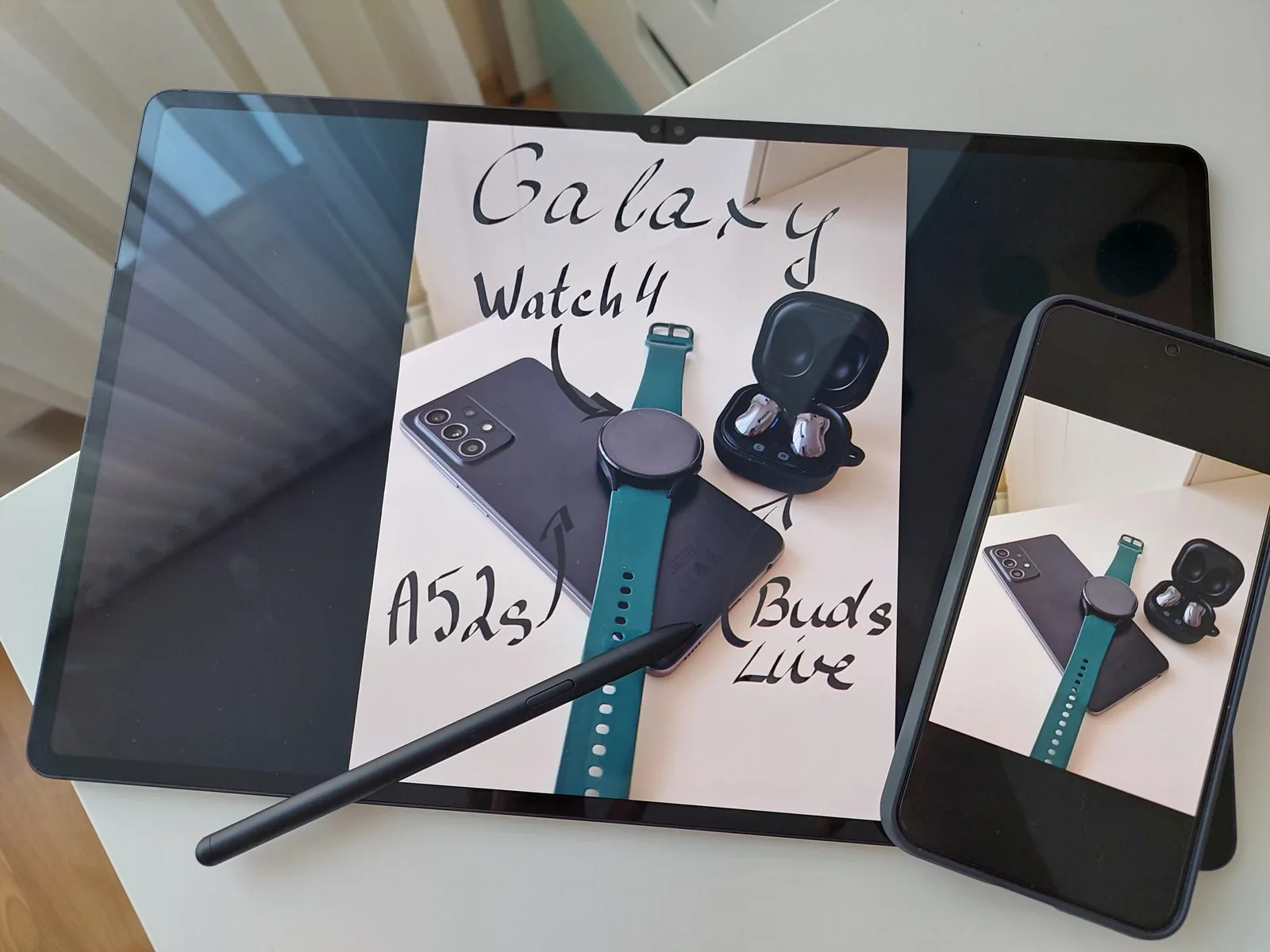
I’d also mention Samsung Notes’ quick note syncing and how fast Galaxy Buds switch between devices.
Verdict: pros and cons
| Pros | Cons |
|---|---|
|
|
The Galaxy Tab S8 Ultra is an impressively thin, elegantly designed, excellent tablet with a large display. Samsung has once again shown what it can do and put all its best qualities into this device. The Galaxy Tab S8 Ultra is a perfect tablet for watching films, editing photos, drawing and multitasking.
Personally I’d choose the smaller Galaxy Tab S8+. A 12.4-inch tablet is more pleasant to hold, easier to carry and takes up less space. If I owned a Galaxy Tab S8 Ultra, I’d use it more as a laptop than as a tablet.
A good deal?
If you want a large portable device, enjoy drawing or writing with the S Pen and take part in a lot of video calls, then I’d suggest buying the Galaxy Tab S8 Ultra.
But if you don’t want a large device and don’t want to spend a lot, I’d suggest looking at the smaller Galaxy Tab S8 and Galaxy Tab S8+, or the Galaxy Tab S7 FE.
Read next
 15 July 2025
Galaxy Tab S10 FE review
From a student perspective
 11 August 2021
Samsung Galaxy Tab S7+ review
A tablet instead of a laptop? | 2 weeks of use
 11 September 2026
Samsung unveils the Galaxy S26 FE – a Galaxy S for the fans
Prices in Lithuania, a 6.7-inch screen and seven years of updates
Advertisement